远方云
🌎远方云加速器下载和教程地址导航页
🍏苹果ios手机/平板下载使用教程
安卓端远方云一键连接翻墙APP使用教程
🍏 iOS 设备(苹果手机/平板)Apps Connect下载使用教程 识别码 yfy
本文档使用 MrDoc 发布
-
+
🍏 iOS 设备(苹果手机/平板)Apps Connect下载使用教程 识别码 yfy
#### Apps Connect下载软件名字叫Apps Connect一定换好下面的美区ID下载,国内的ID下载不了如不换ID下载的软件有可能带有病毒,下面有图片教程往下拉看到最后几分钟就好 #### 一定先在网站注册开通之后在登录软件,不然会提示无线路可用,开通之后还没有线路,退出账号从新登录就可以了 #### 2. 获取AppleID,注意在苹果商店里登陆,注意在苹果商店里登陆 #### 关闭你无线网登陆ID关闭你无线网登陆ID关闭你无线网登陆ID ### 下面是美国苹果ID,如果登陆需要手机验证,请换另外一个ID登陆,登陆完在商店搜索Apps Connect下载完输入代码 yfy ### 1.打开桌面【app store】一定一定要在苹果商店登陆,其他地方登陆如果锁机概不负责  #### 2退出来自己的ID #### 点击右上角头像👉进入后拉到最下方👉退出你自己的账号 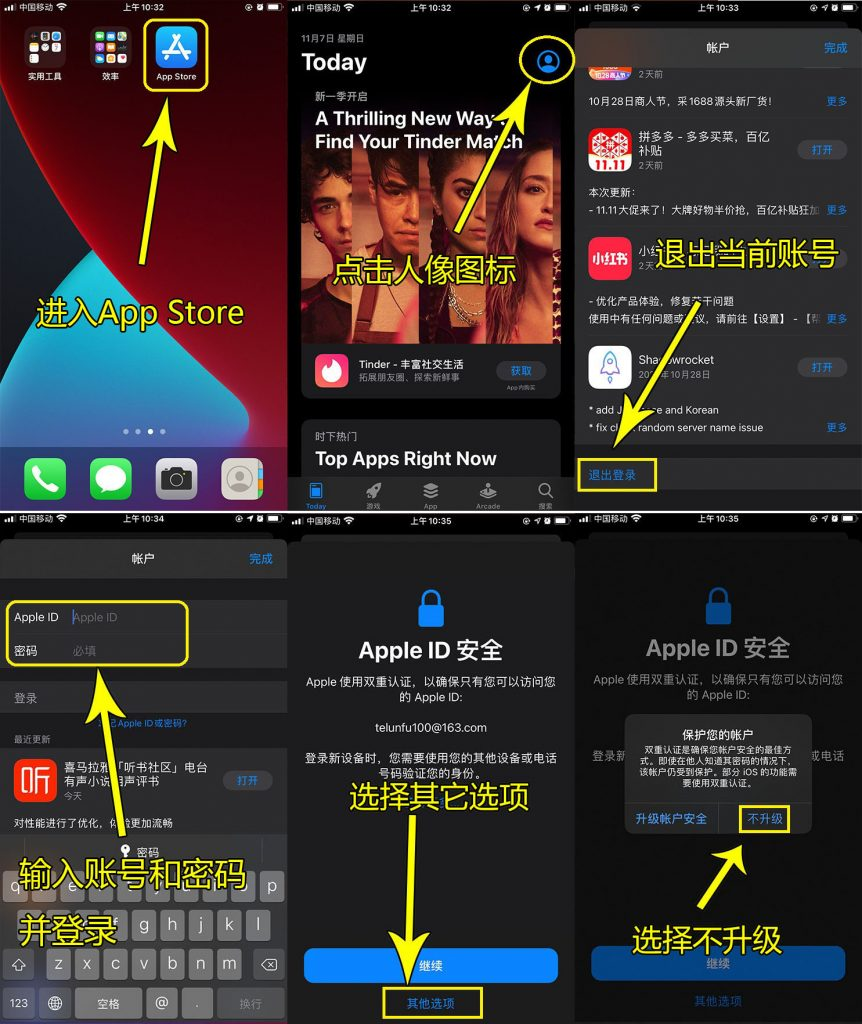 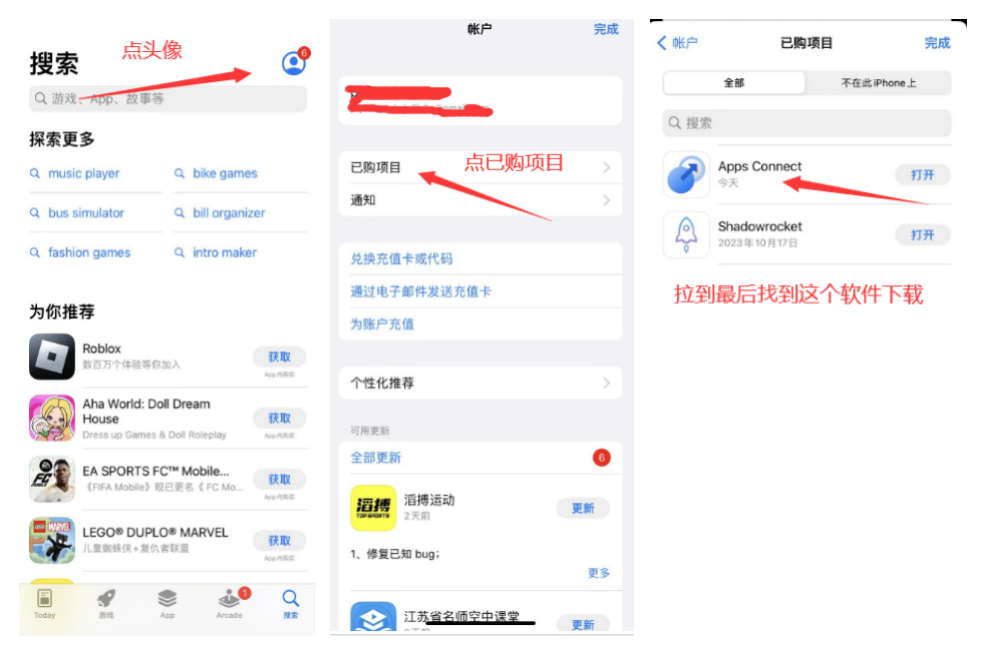 ### 换完ID点我跳转下载⭕️ 换完ID点我跳转下载⭕️如果不能跳转下载,查看已购买拉到最后下载,需要手机验证换另外ID,密码不对刷新网站,密码10分钟修改一次 ### 一定一定要在苹果商店登陆,其他地方登陆如果锁机概不负责 #### 密码不对刷新网站从新获取密码。密码10分钟修改一次 <iframe height="250" width="330" title="指定网页" src="https://id.ali-door.top/share/hlNucOxRPQ"></iframe> <iframe height="250" width="330" title="指定网页" src="https://id.ali-door.top/share/AkNWDbqpfZ"></iframe> <iframe height="250" width="330" title="指定网页" src="https://wuh5y.sha.cx/07cf209ab126df42e9acec0af93aeac0"></iframe> <iframe height="250" width="330" title="指定网页" src="https://hy45z.sha.cx/48492234bba3149d8d7bd4db322111f2"></iframe> <iframe height="250" width="330" title="指定网页" src="https://Apple.id.wllj.net/share/LNXiwadQMf"></iframe> <iframe height="250" width="330" title="指定网页" src="https://Apple.id.wllj.net/share/ViInPyFshB"></iframe> <iframe height="250" width="330" title="指定网页" src="https://Apple.id.wllj.net/share/fSRGcWUYVI"></iframe> <iframe height="250" width="330" title="指定网页" src="https://Apple.id.wllj.net/share/LvpTNaOKPW"></iframe> 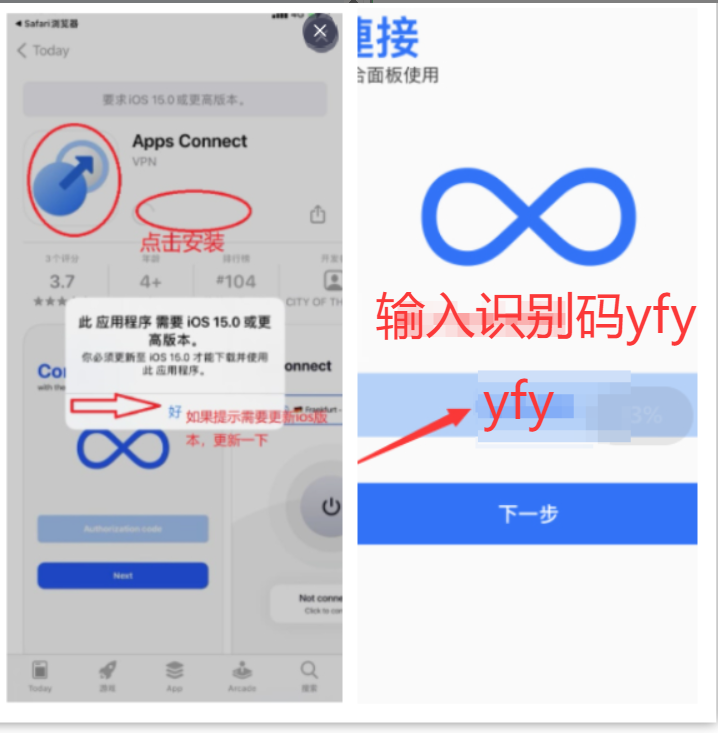 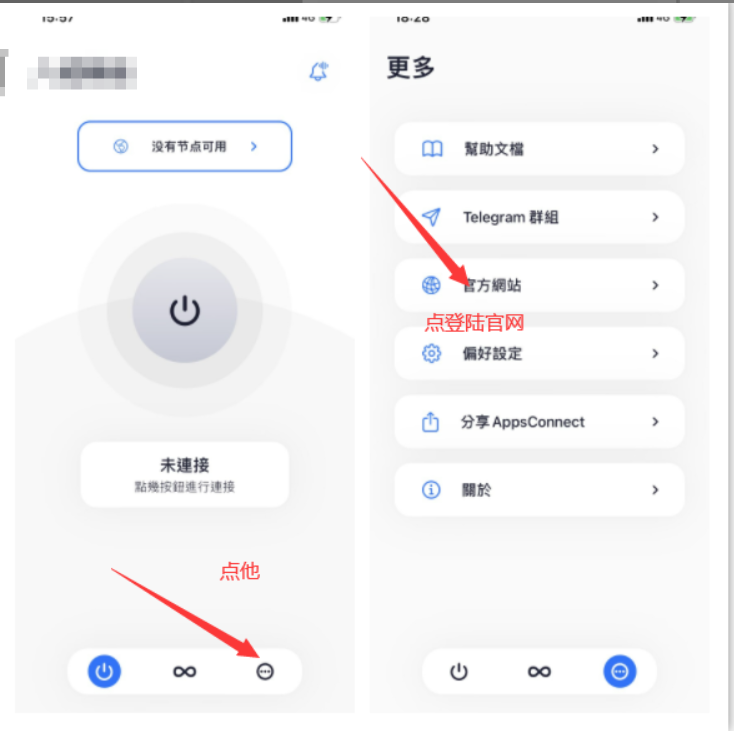 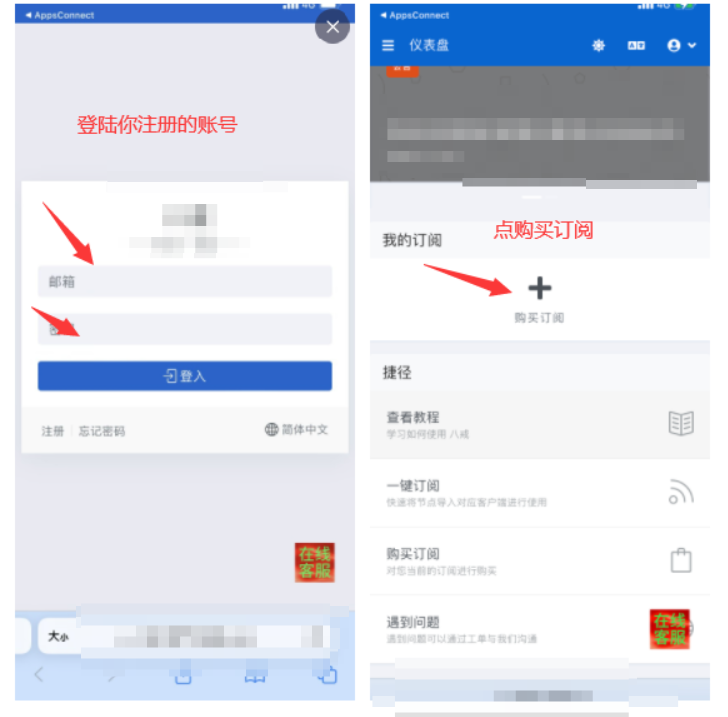 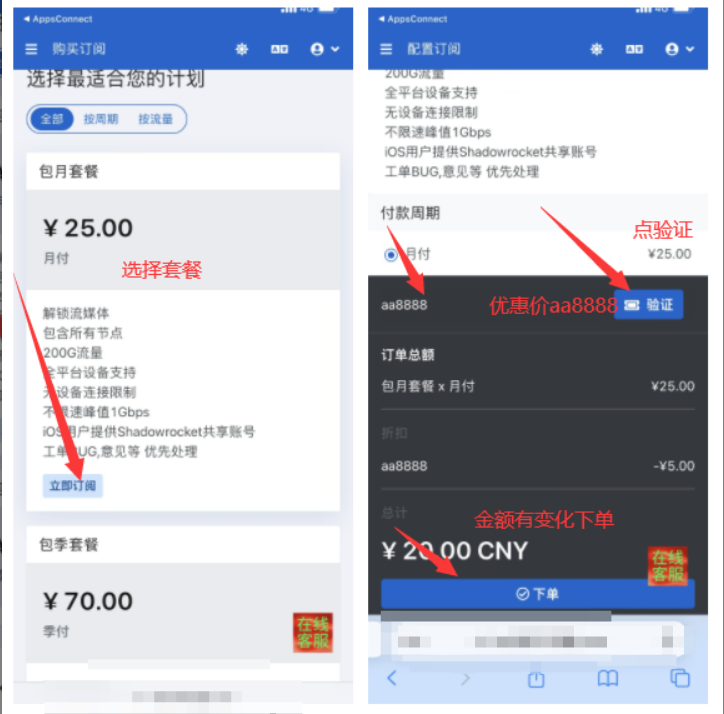 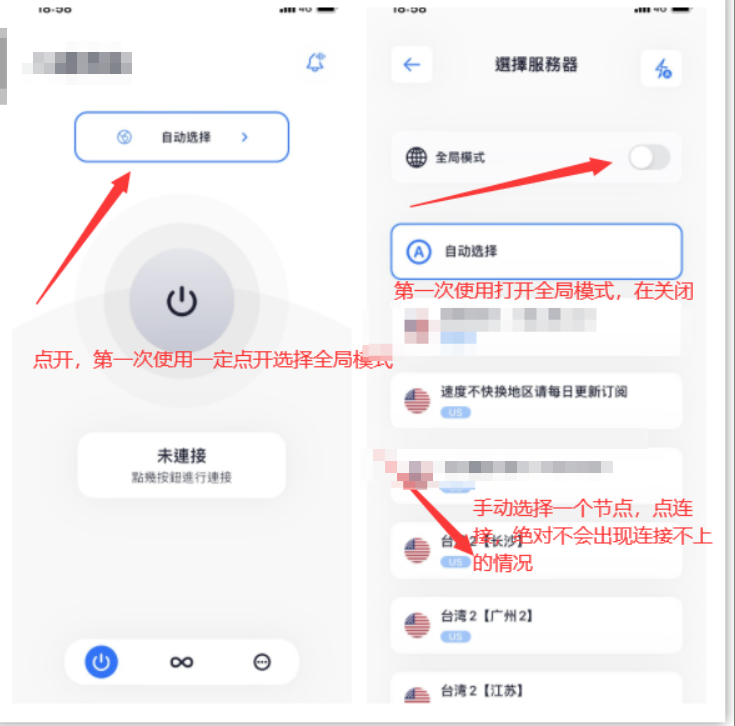
root
2026年1月2日 11:48
转发文档
收藏文档
上一篇
下一篇
手机扫码
复制链接
手机扫一扫转发分享
复制链接
Markdown文件
PDF文档(打印)
分享
链接
类型
密码
更新密码